
ITN Marina Management QR SystemDay guests book and pay themselves by scan
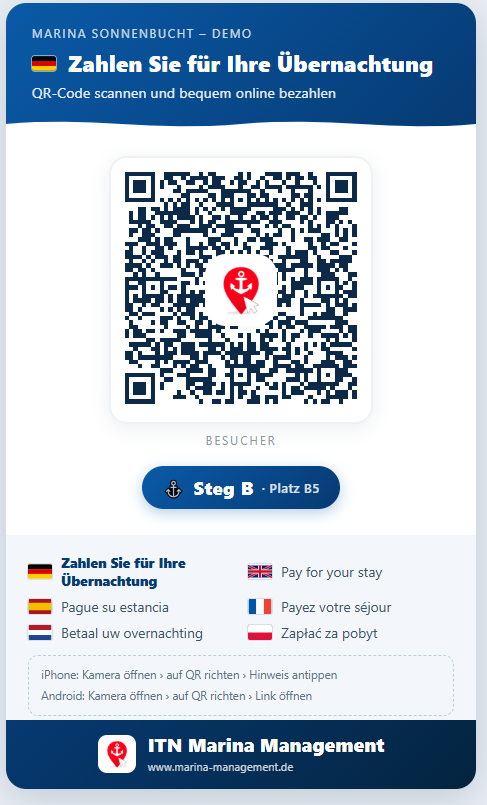
The lean system for day guests: a QR code on the jetty, the guest scans, books and pays. Confirmation and receipt are created automatically – no app, no sign-up, no harbour office.
Four steps to a paid berth
From the scan to the finished receipt – entirely without staff.
Scan
The guest scans the QR code at the jetty or berth with a smartphone.
Book
Berth and daily rate appear – the guest picks the period and books.
Pay
Direct online payment, for example by iDEAL, PayPal, credit card or Wero.
Done
The berth counts as confirmed immediately, receipt and confirmation follow automatically.
What you get in the QR System
Everything you need for day-guest operation – and nothing that only confuses you.
QR codes for your jetties
A separate code for every berth or jetty – ready to print and put up.
Online payment included
Connection to iDEAL, PayPal, credit card, Stripe and Wero – the money goes straight to you.
Automatic receipt
Every payment produces a consecutively numbered receipt as a PDF.
Payments & receipts
All online payments in one list – with a receipt per booking to download.
Day guests & occupancy
A compact dashboard with today’s guests, occupancy calendar and berth master data.
Multilingual guest booking
Guests book automatically in their own language – ideal for visitors from abroad.
Made for small harbours and clubs
Wherever day guests arrive but nobody sits in the office permanently.
- Small marinas and water-tourism stopovers
- Clubs with a volunteer harbour master
- Municipalities and moorings without a staffed office
- Marinas that want to bill their guest jetties separately
Register once – book in every connected harbour
Your guests create a single account and use it in every harbour running ITN Marina Management: pick the harbour, book without signing up again and pay online. This is exactly where we differ from isolated solutions that ask for a new registration in every harbour.
One account, one password
The guest registers just once – in your harbour or in another one – and is known everywhere.
Switch harbour with one click
Select the harbour in the app; signing in at the destination happens automatically in the background.
Book & pay anywhere
Request or book a berth and pay online straight away – in every connected harbour.
Data only when booking
A guest’s data is passed to a harbour only once a booking is actually made there.
To be honest: what the QR System does not do
So you know where you stand – these areas deliberately belong to the Professional edition:
- Permanent berth holders, seasonal and annual contracts
- Invoicing with open items, SEPA direct debit and reminders
- Crane, slipway and winter storage
- Camping, pitches and boat charter
Should you need one of these areas later on: the QR System is the same engine in reduced operation. We unlock the full edition, your data stays put – no migration, no fresh start.
The complete harbour management is called ITN Marina Management Professional
Permanent berth holders and seasonal contracts, invoicing with SEPA direct debit and reminders, crane, winter storage, camping and boat charter: the full edition covers all of it. The QR System is the same engine in reduced operation – you can switch at any time without migrating data.
View ProfessionalA monthly rental – no fee per booking
You pay a fixed monthly amount, no matter how many guests book. No commission per reservation, no setup costs, no multi-year commitment.
The price depends on the size of your harbour. We will tell you in a short call – no obligation.
- Cloud hosting in Germany
- Updates & backups
- Setup & training
- Personal support
Answered briefly
Do my guests need an app?
No. The QR code opens the booking directly in the guest’s browser – no download, no account, no installation.
How does the money reach me?
The guest pays online, for example by iDEAL, PayPal, credit card or Wero. Settlement runs through your own payment provider account; every payment automatically produces a consecutively numbered receipt as a PDF.
How long does setup take?
Usually a few days: create the berths, print and put up the QR codes, connect your payment provider. We take care of the training.
What happens when my harbour grows?
Then we unlock the Professional edition. Same software, same data, no migration – your berths, guests and receipts all remain.
Welcome day guests digitally from next season
We will show you the QR System live and tell you what it costs for your harbour – free of charge and without obligation.